Click to go home shopping cartAversis NewsletterFacebook Aversis 3D

V-ray tutorials - select keyword(s) to refine your search:

  • Free
  • Shop
  • Basic
  • Intermediate
  • Advanced
Optimize render speed

buy now €15

details

Optimize render speed in V-Ray

Vray 2.3 | 3DsMax2010 | May 16, 2013 | Wouter Wynen

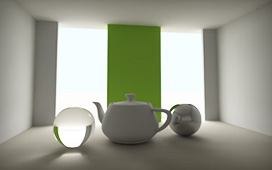
This tutorial is all about optimizing render speed in V-ray. The final goal of the tutorial is to provide you with some very simple general settings, that you can use for preview and high quality renders. But instead of simply providing these settings, we explain several settings so you know what each of these do.

Read more...

Product Studio Lighting

buy now €30

details

Product studio lighting setup

Vray 2.3 | 3DsMax2010 | September 04, 2012 | Wouter Wynen

The goal of this tutorial is to create custom studio setups to light and render products. We will create 2 different setups, and cover all the most used techniques to create stunning images. When finished, you should be able to create your own studio lighting rigs and customize them to your own needs.

Read more...

Rendering glass and liquids with V-ray

free

details

Rendering Glass and liquid with V-ray

Vray 2.3 | 3DsMax2010 | August 28, 2012 | Wouter Wynen

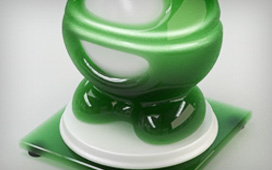
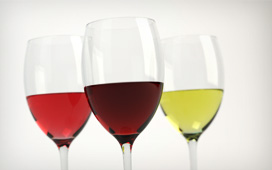
This tutorial will cover every aspect to realisticly render a wineglass filled with various liquids. You'll learn how to create glass, water and wine. But also how to model it right! All scene files are provided to make sure anyone can follow along untill the end.

Read more...

Basic Vray Materials

buy now €12,5

details

Vray materials - Basic material creation

Vray 2.0 | 3DsMax2010 | July 19, 2012 | Wouter Wynen

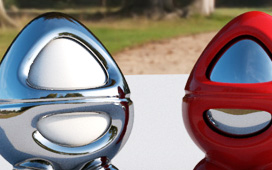
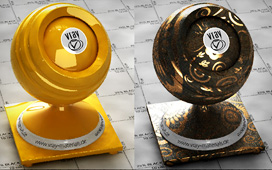
The goal of this tutorial is to show you how to create some common materials using the standard V-ray material. We will create shiny plastic, some metals and glass/transparant plastic. After completing the tutorial, you will be able to create your own materials from scratch, because you will know the effect of each material parameter.

Read more...

The importance of true high dynamic range

free

details

Importance of true high dynamic range

Vray 2.0 | 3DsMax2010 | November 19, 2009 | Wouter Wynen

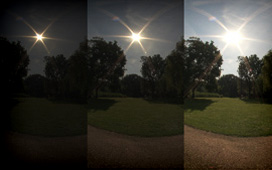
This article will help you in identifying high quality HDRI maps, with a strong focus on the dynamic range which is usually overlooked, especially by the providers of HDRI maps.

Read more...

Exterior rendering with Vray

buy now €20

details

Exterior render - Vray sun/sky - gamma 2.2

Vray 2.0 | 3DsMax2010 | April 12, 2012 | Wouter Wynen

In this tutorial, we will render a basic exterior scene, in day and night lighting situations. All this with the help of the Vray Sun and Sky system, and the gamma 2.2 workflow!

This gamma 2.2 workflow combined with vray sun and sky is a much debated subject...

Read more...

Interior rendering with Vray

buy now €20

details

Interior rendering with V-ray 2.0

Vray 2.0 | 3DsMax2010 | April 12, 2012 | Wouter Wynen

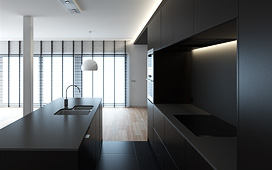
Light a basic interior scene with 3 different lighting setups:
• Skylight only
• Skylight + sunlight
• Nightscene (artificial light) 
It will also cover some basic concepts about light balance, skylight vs V-ray lights, setting up ceiling spots and so on.

Read more...

Advanced high quality HDRI scene setup with V-ray

buy now €10

details

How to use HDRI in V-ray 2.0

Vray 2.0 | 3DsMax2010 | April 12, 2012 | Wouter Wynen

The goal of this tutorial is to show you different ways of using HDRI maps with Vray. It will show you the effects and drawbacks of each method, so that you can choose for yourself which method suits your project best.

Read more...

Irradiance map settings for stills with V-ray

buy now €15

details

Irradiance map settings for stills explained

Vray 2.0 | 3DsMax2010 | April 12, 2012 | Wouter Wynen

• Better understand all these parameters to control the IR map GI solution
• Learn about interpolation, min/max rates, color threshold and more affect the quality of your GI shadows.
• Use Detail Enhancement to further improve image quality

Read more...

free materials from www.vray-materials.de

buy now €15

details

How to use materials from vray-materials.de

Vray 2.0 | 3DsMax2010 | April 12, 2012 | Wouter Wynen

Learn how to use and edit the free materials found at Vray-materials.de:
• Edit the material(s) to your needs
• Assign materials to custom objects + adjust mappings
• Convert scene to gamma 2,2 workflow (adjust textures and colors)

Read more...

Gamma 2.2 setup in V-ray

free

details

Gamma 2.2 setup in Vray

Vray 2.0 | 3DsMax2010 | April 12, 2012 | Wouter Wynen

My personal gamma 2.2 workflow in 3DsMax and Vray (semi LWF technique).

YOU MUST READ THIS ONE TO COMPLETE THE OTHER TUTORIALS!!
All of the tutorials use this technique!!!

Basic Vray skylight scene setup

free

details

Basic Vray skylight scene setup

Vray 2.0 | 3DsMax2010 | April 13, 2012 | Wouter Wynen

Light your scenes with the vray skylight.
Add a directional light as a sun.

Read more...

Basic Vray material creation

free

details

Basic Vray material creation

Vray 2.0 | 3DsMax2010 | April 13, 2012 | Wouter Wynen

First steps to create realistic vray materials.
Diffuse, reflection, refraction, fresnell.

Read more...

Global Illumination methods in Vray

free

details

Global Illumination methods in Vray

Vray 2.0 | 3DsMax2010 | April 13, 2012 | Wouter Wynen

What is global illumination.
Brute force, irradiance map and lightcache.

Read more...

Vray rollouts

free

details

Vray rollouts

Vray 2.0 | 3DsMax2010 | April 13, 2012 | Wouter Wynen

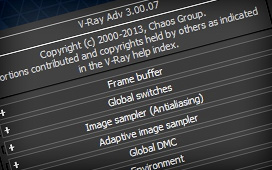
A short overview of all the Vray rollouts.

Read more...

What is Vray?

free

details

What is Vray?

Vray 2.0 | 3DsMax2010 | April 13, 2012 | Wouter Wynen

A short overview of some main Vray features.

Read more...


Vray 2.0 Tutorials for 3DsMax

The Aversis V-ray tutorials are widely known for their in depth explanations while remaining very easy to follow and to understand. They don't sum up a bunch of settings, but instead explain every step along the way, telling you how and why, in human language.

V-ray is one of the best renderers you will find to create extremely photorealistic 3D images. It is a render plugin originally for 3D Studio Max, but currently also available for Maya, Rhinoceros 3D, Google Sketchup, Cinema4D and many more. The Aversis tutorials are all for the 3D Studio Max version, but since many of the features are similar for each package, you will be able to learn some of it even when using a different host package.

Please don't translate or copy these tutorials elsewhere. I don't like the tutorials to float around in 10 different versions and places on the net. Feel free to link to this page of course! (see also Terms of Use)

Aversis TUTORIALS End User License Agreement

AVERSIS 3D RESOURCES

• Home
• Terms of use - free stuff
• Terms of use - HDRI
• Terms of use - Tutorials
• Terms of use - Vray Materials
• Terms of use - Textures

• Visit us on Facebook
• Subscribe to our newsletter

AVERSIS SHOP

• Vray tutorials
• Individual HDRI maps
• HDRI Collections
• Vray Materials
• Textures

FREE STUFF

• HDRI maps
• Vray tutorials
• Rhinoceros tutorials
• Photoshop tutorials
• Vray Materials
• Textures
• 3D Models
• Wallpapers

CONTACT

If you have any problems regarding the Aversis shop, don't hesitate to contact us through email at info(at)aversis.be

©2006-2013 | AVERSIS 3D RESOURCES

All rights reserved. No part of this website may be reproduced without written permission from Aversis 3D Resources